Why Is My Phone Overheating? 9 Fixes (2026)

A warm phone is not always a problem. But if your phone feels too hot to hold, stays hot for a long time, or keeps overheating no matter what you do, something specific is driving that heat — and you can usually find out what it is.
This guide uses a simple approach: figure out when your phone gets hot, match that situation to the most likely cause, then apply the right fix. That’s faster than working through a long list of generic tips that may not even apply to you.
Your phone can overheat from heavy gaming or streaming, charging while running demanding apps, direct sunlight or hot surroundings, background app activity, a weak signal, or a software problem. If your phone feels unusually hot right now, stop any demanding task, unplug it if it’s charging, move it away from heat, and let it cool before using it again.
- Why Is My Phone Overheating?
- Is Your Phone Warm or Actually Overheating?
- Find Your Situation First
- Fix 1: Stop Heavy Use and Let Your Phone Cool
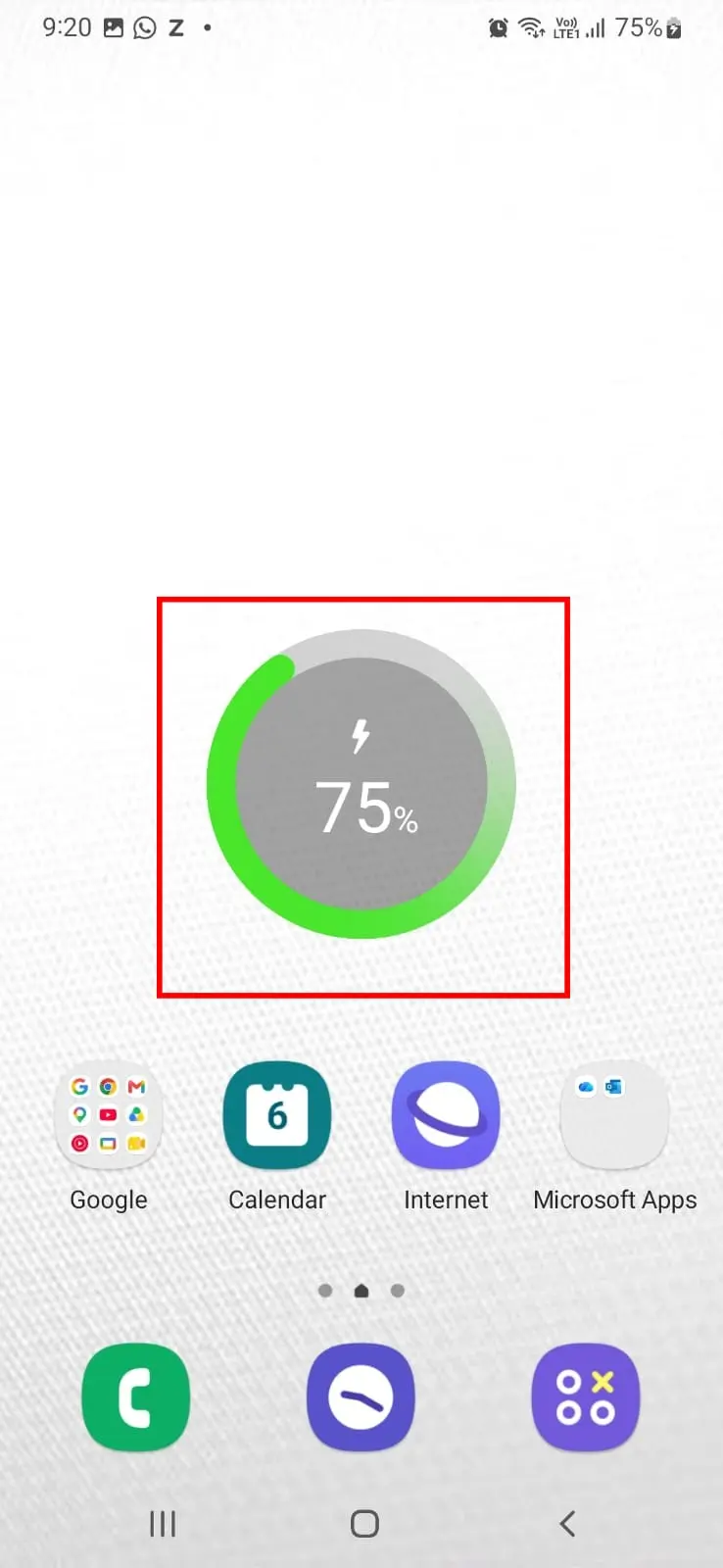
- Fix 2: Fix Overheating While Charging
- Fix 3: Check the Charger, Cable and Charging Port
- Fix 4: Reduce Background and Resource-Heavy Activity
- Fix 5: Check for a Problematic App or Software Issue
- Fix 6: Reduce Network-Related Workload
- Fix 7: Check for Battery, Charging or Device Warning Signs
- Fix 8: Temporarily Remove the Phone Case
- Fix 9: When Phone Overheating Needs Professional Help
- How to Tell If the Problem Is Getting Better
- What to Do If Your Phone Still Overheats
- How to Prevent Phone Overheating
- Frequently Asked Questions
- How We Tested
Why Is My Phone Overheating?
Your phone can overheat from heavy gaming or streaming, charging while running demanding apps, direct sunlight or hot surroundings, background app activity, a weak signal, or a software problem. If your phone feels unusually hot right now, stop any demanding task, unplug it if it’s charging, move it away from heat, and let it cool before using it again.
This matches official guidance from Google Pixel Phone Help, Apple Support, and Samsung Support, which all identify similar triggers: resource-intensive apps, charging combined with heavy use, direct sunlight, and poor ventilation.
Is Your Phone Warm or Actually Overheating?
| Situation | What it usually means |
|---|---|
| Warm | Happens temporarily during charging, gaming, streaming, or navigation, and settles down once the activity stops. |
| Overheating | Becomes unusually hot, stays hot longer than expected, or heats up repeatedly even during light, everyday use. |
| Warning sign | A temperature warning on screen, repeated shutdowns, abnormal charging behavior, or unusually fast battery drain alongside the heat. |
If your phone is simply warm, start with the situation that best matches when the heat occurs. If it shows a warning sign, jump to Fix 7 or Fix 9.
Find Your Situation First
Instead of reading every fix, start with what you’re actually experiencing.
| What you’re experiencing | Start here |
|---|---|
| Hot during gaming, streaming, video calls, or navigation | Fix 1 |
| Hot in direct sunlight, a hot car, or a warm environment | Fix 1 |
| Hot while charging | Fix 2 |
| Hot while charging, and the cable/charger seems involved | Fix 3 |
| Hot even when barely using the phone | Fix 4 |
| Started getting hot after a new app or update | Fix 5 |
| Hot mainly where signal is weak | Fix 6 |
| Hot + battery draining fast, shutting down, or charging oddly | Fix 7 |
| Hot while wearing a case | Fix 8 |
| Very hot, shows a warning, or shuts down from heat | Fix 9 |
If more than one situation applies to you, start with the fix that best matches what was happening immediately before the phone became hot. If the heat continues, follow the “If this didn’t work” link in that section to move to the next likely cause.
Fix 1: Stop Heavy Use and Let Your Phone Cool
What this fixes: Heat that builds up during gaming, video streaming, video calls, camera use, or navigation — or from being in direct sunlight, a hot car, or a warm environment.

Fix 2: Fix Overheating While Charging
What this fixes: A phone that becomes hot specifically while plugged in.
Fix 3: Check the Charger, Cable and Charging Port
What this fixes: Overheating tied to a specific charger, cable, or port.
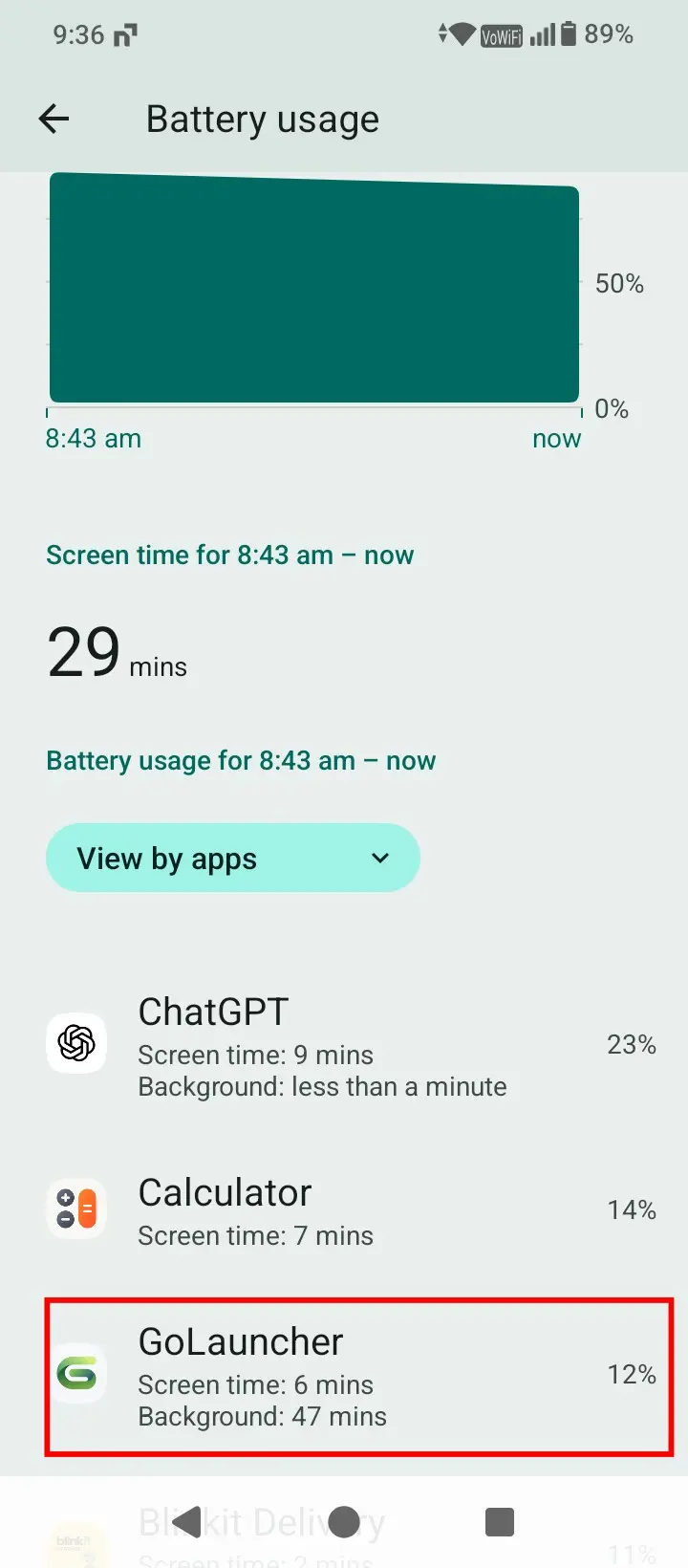
Fix 4: Reduce Background and Resource-Heavy Activity
What this fixes: A phone that gets warm even during light or normal use.
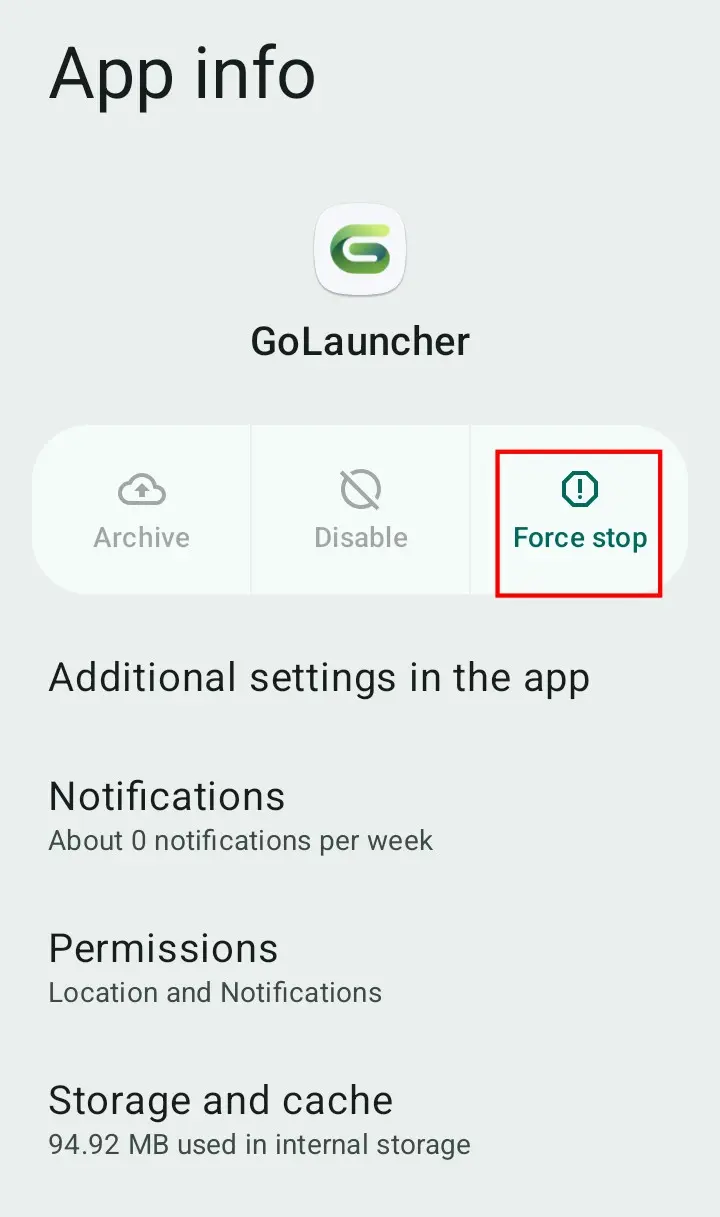
Fix 5: Check for a Problematic App or Software Issue
What this fixes: Overheating that started after installing or updating an app, or after a software update.
If the overheating app also triggers a flood of unwanted pop-ups or ads, it may be worth reviewing our guide on unwanted pop-up ads on Android to rule out a misbehaving app.
Fix 6: Reduce Network-Related Workload
What this fixes: Heat that shows up mainly in areas with a weak signal or poor connectivity.
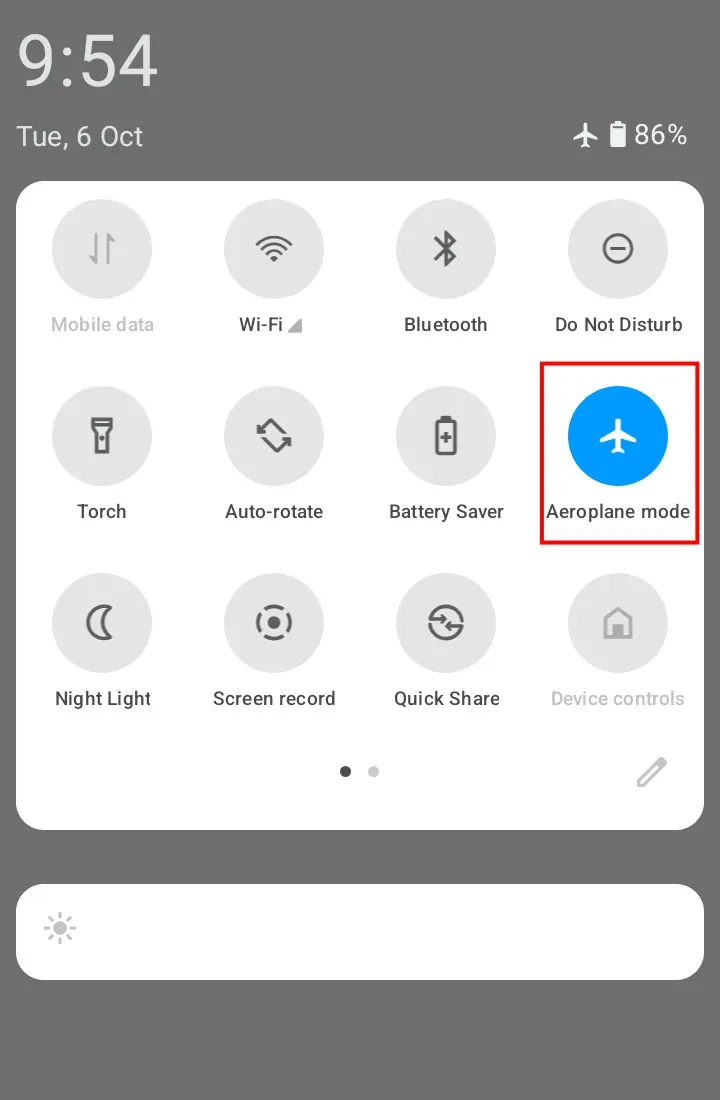
Fix 7: Check for Battery, Charging or Device Warning Signs
What this fixes: Overheating that comes with other symptoms — fast battery drain, random shutdowns, or charging that behaves oddly.
If you’re also noticing unusually fast battery drain alongside the heat, our guide on phone battery draining fast covers that symptom in more depth.
For device-specific guidance, see Samsung’s official support page on what to do when your Samsung Galaxy device heats up while in use.
Fix 8: Temporarily Remove the Phone Case
What this fixes: Heat that seems to build up faster or linger longer while the phone is in its case.
Fix 9: When Phone Overheating Needs Professional Help
What this fixes: Overheating that’s severe, repeated, or paired with other serious symptoms despite trying the steps above.
⚠️ Why it happens: Phones have built-in thermal protection. According to Google’s Pixel Phone Help, excessive heat can cause a phone to reduce CPU performance, reduce charging speeds, turn off the camera and flash, partially or fully turn off mobile data or Wi-Fi, enter low power mode, and ultimately turn off to protect the device. If this keeps happening, it’s a sign the underlying issue needs more than routine troubleshooting.
How to Tell If the Problem Is Getting Better
After trying a fix, give the phone 15–30 minutes of normal use in the same conditions that caused the heat. If it stays noticeably cooler than before, that suggests the previous condition was contributing to the heat. If the heat returns in the same situation, move on to the next fix in that section rather than starting over from Fix 1.
What to Do If Your Phone Still Overheats
If you’ve worked through the fixes relevant to your situation and the phone is still overheating, don’t keep trying random settings changes. At this point:
- Confirm whether the heat happens in more than one situation (for example, both charging and gaming) — this can point to a battery or hardware issue rather than a single app or setting.
- Avoid a full factory reset as a routine fix. The available guidance doesn’t support it as a necessary step for overheating, and it will erase data from the device.
- Contact the phone manufacturer or an authorized repair provider, especially if the heat is accompanied by shutdowns, charging problems, or a visible warning message.
How to Prevent Phone Overheating
- Avoid using the phone heavily while it’s charging.
- Keep it out of direct sunlight and hot cars.
- Use a charger and cable that match your phone’s specifications.
- Keep apps and your phone’s software up to date.
- Check battery usage occasionally for apps running unusual background activity.
- Don’t ignore overheating that keeps coming back — treat it as something to investigate, not something to work around repeatedly.
Frequently Asked Questions
Why is my phone overheating?
Your phone can overheat from heavy gaming or streaming, charging during demanding use, direct sunlight or high temperatures, background activity, weak signal, or app and software issues. The exact cause depends on when and where it happens.
Why does my phone get hot even when I’m not using it?
Background apps, syncing, automatic updates, or a problematic app can keep the phone working even with the screen off. Checking battery usage can help you spot what’s using unusual resources.
Why does my phone get hot while charging?
Some warmth during charging is normal. Excessive heat can come from heavy use while charging, fast charging, poor ventilation, or a problem with the charger, cable, or port. Unplug the phone if it gets excessively hot and let it cool.
Is it normal for a phone to get warm?
Yes. Phones can warm up during gaming, streaming, navigation, software updates, or charging. Warmth on its own doesn’t mean the phone is faulty.
Can a virus make my phone overheat?
Overheating alone does not prove that your phone has a virus. The available research does not establish malware as a confirmed cause of a particular overheating problem. If the heat started after an unfamiliar app was installed and you also notice pop-ups or other unusual behavior, investigate that app first using the steps in Fix 5.
How can I cool down my phone quickly?
Stop demanding activity, unplug the charger if it’s hot, move the phone away from sunlight or heat, and let it sit in a cool, ventilated spot before using it heavily again.
Can a weak signal make my phone hot?
It can contribute to it. A weak connection can increase power use as the phone works harder to stay connected. Moving to better signal or switching to Wi-Fi may help.
Can a phone case cause overheating?
Not automatically. A case can affect how heat escapes the phone in some situations. If the phone is already hot, removing the case temporarily can help it cool and show you whether the case was a factor.
Should I stop charging my phone if it gets very hot?
Yes. Unplug it, let it cool, and check the charger and cable for damage before charging again.
When should I worry about my phone overheating?
Pay closer attention if the heat keeps coming back during normal use, or if it’s paired with fast battery drain, repeated shutdowns, abnormal charging, or a temperature warning. In those cases, contact the manufacturer or an authorized service provider.
How We Tested
The screenshots in this guide were captured on a POCO C71 (Android 15) and a Samsung Galaxy M21 (Android 12, One UI). They’re used to show where relevant settings appear — not as proof that any specific overheating fix was tested under controlled conditions. No hands-on overheating test was performed on either device. The troubleshooting steps above are based on official guidance from Google, Apple, Samsung, and Verizon support documentation. Menu names and locations can vary slightly between phone brands and software versions.
The Bottom Line
Most phone overheating comes down to a few common triggers: heavy app use, charging combined with demanding tasks, background activity, weak signal, or environmental heat. Start by identifying when your phone actually gets hot, then work through the matching fix rather than trying everything at once. If the heat keeps returning after you’ve worked through the relevant steps — especially alongside fast battery drain, shutdowns, or charging problems — that’s the point to stop troubleshooting on your own and contact your phone’s manufacturer or an authorized service provider.
Sources: Google Pixel Phone Help — Help keep your Pixel phone from feeling too warm or hot | Apple Support — If your iPhone, iPad, or iPod touch gets too warm | Samsung Support — What to do when your Samsung Galaxy device heats up while in use | Verizon Support — Phone overheating, losing battery power, not charging